Click to Call

Event Screen Dimensions: Choose the Right Size
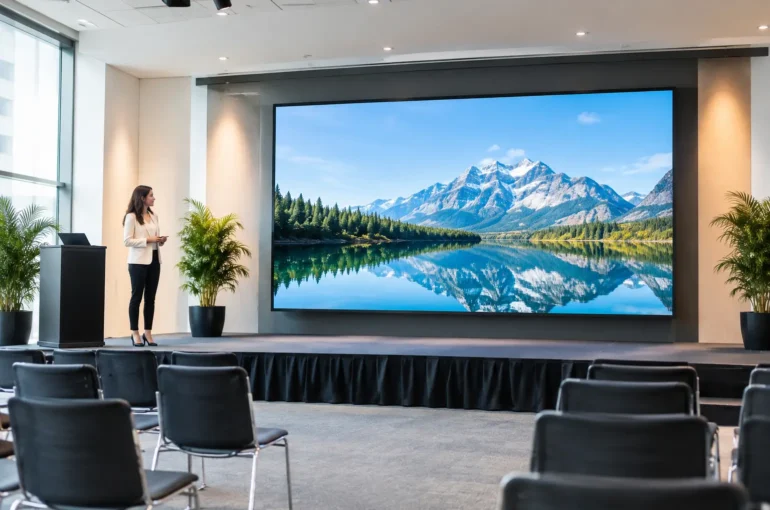
A screen that looks enormous on an empty oval can disappear once barriers, food vans, staging, trees and a busy crowd arrive. That is why event screen dimensions should be decided from the audience backwards – not from the biggest unit available. Get the scale right and your sponsors, schedules, live footage and campaign creative stay visible where people are actually standing.
For Australian event organisers and campaign teams, the right screen is a practical media decision. It affects sightlines, power planning, access, content production, safety clearances and, most importantly, how often people notice your message. A large display in the wrong position wastes impact. A well-positioned screen of the right size can own a precinct.
Start With the Crowd, Not the Screen
First, map where people will pause, queue and gather. A screen serving a ticketing area has a different job from one facing a main stage, a fan zone or a sports field. Consider the farthest likely viewer, the average viewing distance and whether people will be stationary or moving past.
As a working rule, screen height drives legibility more than width. Extra width creates presence and helps with video, split-screen content and sponsorship layouts, but it does not automatically make small text readable. If the audience is spread across a long, shallow area, a wider display may be the stronger choice. If they are standing deep in front of a stage, height and elevated placement become more valuable.
Do not design for the person standing directly in front of the screen. Design for the person at the back of the crowd, beside the activation, or walking through the venue with only a few seconds to look up.
Think in zones of attention
Most event sites have several attention zones. Close-range viewers can read event information, menus, QR prompts and sponsor calls to action. Mid-range viewers respond best to bold offers, logos, live scores and short motion graphics. At longer range, the screen needs to carry simple branding, high-contrast imagery and messages that make sense at a glance.
If one display needs to serve all three zones, simplify the content. Large type, one core message and uncluttered visuals will outperform a crowded layout every time. The screen may be impressive, but the creative still has to do the hard work.
Event Screen Dimensions Are Only One Measurement
When people ask about event screen dimensions, they often mean the physical size of the display. That matters, but it is only one part of the specification. You also need to assess the overall footprint of the unit, including its trailer or base, tow vehicle access, stabilisers, safe exclusion space and viewing angle.
A screen needs breathing room. A location that appears suitable on a site map can become difficult once event infrastructure is installed. Check for entry gates, emergency routes, pedestrian flow, low branches, overhead lines, marquees and delivery access. If the screen is competing with a stage roof, a grandstand or a bank of flags, its practical visibility may be far less than its physical dimensions suggest.
Brightness also changes the equation. Outdoor screens must perform in daylight, not just after sunset. Position the screen to reduce direct glare where possible, while avoiding a location that forces the crowd to face into harsh afternoon sun. At night, manage brightness for comfort and for any local venue or council requirements.
Physical size versus pixel resolution
Physical dimensions tell you how much visual real estate you have. Pixel resolution tells you how much detail the screen can display. They are related, but they are not interchangeable.
A larger LED screen can still show soft-looking or overly detailed content if artwork has been prepared to the wrong pixel dimensions. Conversely, a smaller unit with appropriate resolution can look exceptionally sharp at close range. Your artwork supplier should receive the screen’s required pixel canvas, file format and playback guidance before creative is finalised.
For campaign managers, the practical takeaway is simple: create for the display, not for a laptop, social post or printed poster. Fine type, thin borders and busy background textures that look acceptable in a presentation can fail outdoors. Build in generous margins and test video, logos and key copy at realistic scale.
Match the Unit to the Job
A compact screen can be the smart choice for a retail forecourt, community event, registration zone or targeted local activation. It is easier to position where space is tight and can deliver repeated close-range exposure without overwhelming the site.
For major public events, live sport screenings, concerts, festivals and high-traffic precincts, a larger screen creates the presence needed to reach a broad crowd. It can support live vision, event programming, partner recognition and high-impact advertising within the same schedule. This is where a larger-format option, such as an Event Screen 16, may be appropriate, while a smaller Event Screen 8 may better suit a more constrained site or audience. The best choice depends on the confirmed unit specifications, venue layout and viewing distances.
Bigger is not always better. A large screen placed too close to the audience can be uncomfortable to view and may limit the usable space around it. It may also require more careful access planning and a larger safety footprint. Spend the budget where it improves visibility, not simply where it produces the biggest number on a proposal.
Place the Screen Where the Audience Cannot Miss It
Placement turns a display into event media. Look for natural dwell points: entry queues, bar lines, food precincts, merchandise areas, transport pick-up zones and the approaches to a main attraction. Repetition matters. A screen people see on arrival, again while waiting for food and once more on departure gives your message far more chance to stick.
Avoid placing the display behind competing visual clutter. If there is a choice between a technically central site and a slightly offset location with a clear viewing corridor, the clear corridor will often win. Screen orientation should follow how crowds move, not just where there is open ground.
For sponsor-funded events, build a content plan around the physical placement. A screen near a stage can prioritise live content and premium partner branding. A screen by an entry can carry welcome messaging, event times, directional information and a strong presenting sponsor. Near food and beverage, short rotating offers and practical notices can work harder.
Build Content for Real Outdoor Viewing
Outdoor audiences do not give you the attention of a seated cinema audience. They glance, walk, talk, check their mobile and move on. Treat every frame as if it has two or three seconds to land.
Use one clear headline, a recognisable brand asset and a direct next step where relevant. Keep copy short. Use high colour contrast, but remember that some colour combinations become difficult to read in full sun. Video should communicate without sound unless the event has a dedicated audio arrangement and the audience expects it.
A screen schedule should also respect the event rhythm. Run useful information before gates open and during peak arrivals. Increase sponsor and campaign frequency during dwell periods. During key performances, presentations or play, keep messaging complementary so it supports the experience rather than fighting it.
Confirm the Operational Details Early
Screen planning is easier when production, site operations and marketing are in the same conversation from the start. Share the venue plan, event run sheet, expected attendance, access times and any restrictions before selecting a unit. Waiting until artwork is approved to check placement can force expensive compromises.
Ask for the confirmed screen dimensions, overall setup footprint, required access, operating height, pixel resolution, accepted artwork formats and lead times. If the event is outdoors, confirm wet-weather arrangements and who controls the screen schedule on the day. For multi-city activity, lock in a consistent creative framework while allowing for local site differences.
Mobile Outdoor Media can help turn those details into a practical screen deployment, from selecting an Event Screen 8 or Event Screen 16 option through to artwork specifications and campaign coordination.
The right screen should feel like part of the event, not an afterthought parked beside it. Measure the crowd, protect the sightlines and build creative that reads in a moment. Do that, and your message will keep working long after the audience has moved on.